Ultimate Guide to Lunar Eclipse Photography
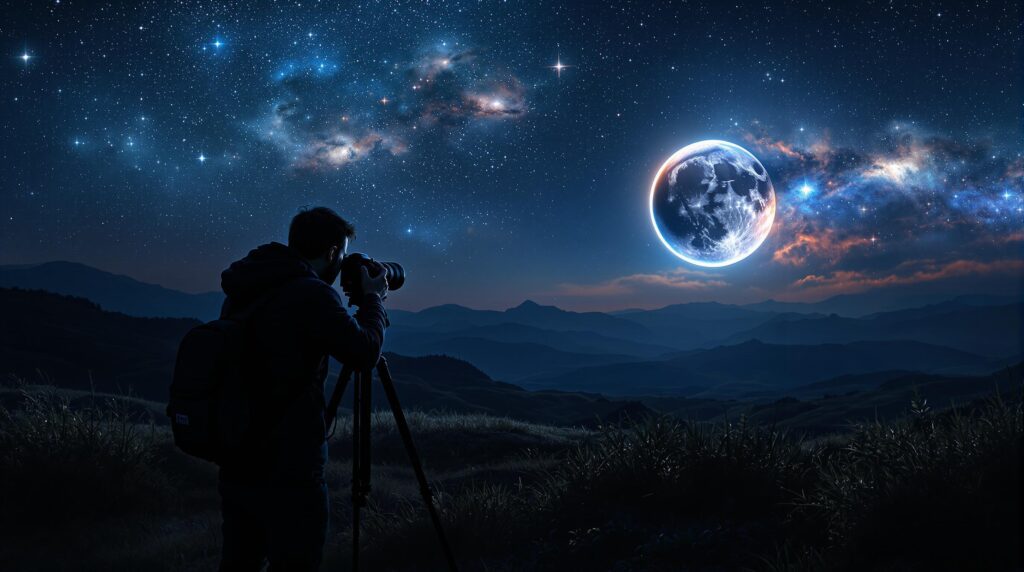
Photographing a lunar eclipse is a rewarding way to capture the Moon’s stunning transformation, from its bright glow to the deep red of a "blood moon." Here’s a quick overview of what you’ll need to get started:
-
Why Photograph Lunar Eclipses?
Safe to view without filters, long-lasting events, and ideal for beginners. -
Key Steps to Success:
- Plan Ahead: Use tools like NASA’s Eclipse Website or apps like SkySafari to find dates and times.
- Pick the Right Spot: Choose high-elevation, low-light locations with clear eastern horizons.
- Gear Up: Use a DSLR or mirrorless camera with a telephoto lens (300mm+), a sturdy tripod, and a remote trigger.
- Adjust Settings: Start with ISO 100–400, aperture f/8–f/11, and shutter speeds of 1/250–1/60 sec for bright phases. Adapt as the light changes.
- Post-Process: Enhance details and colors using tools like Lightroom or Photoshop.
Lunar eclipses are predictable and give you hours to experiment, making them perfect for learning astrophotography. Ready to dive in? Let’s get started!
How to Successfully Photograph a Lunar Eclipse
Lunar Eclipse Basics
Understanding lunar eclipses can help you take incredible photos. Let’s break down the essentials to prepare for your photography session.
How Lunar Eclipses Work
A lunar eclipse happens when Earth moves directly between the Sun and the Moon, casting a shadow on the Moon’s surface. This shadow has two parts: the umbra, which creates a dramatic darkening, and the penumbra, which results in a subtle dimming.
Next, let’s look at the types of lunar eclipses and how they influence your photography.
Eclipse Types
Each type of lunar eclipse offers distinct visual effects and requires different photography techniques:
| Eclipse Type | Visual Effect | Photography Tips |
|---|---|---|
| Total | The Moon turns a deep red, often called a "blood moon" | Use longer exposures to capture the faint red tones |
| Partial | A mix of bright and shadowed areas on the Moon | Adjust exposure to manage the contrast between light and dark |
| Penumbral | A slight darkening of the Moon’s surface | Use sensitive equipment and fine-tune exposure settings for subtle details |
Knowing the type of eclipse allows you to prepare your camera settings for each phase.
Eclipse Timing and Location
Lunar eclipses can be seen from anywhere the Moon is above the horizon, giving you plenty of options for choosing your shooting spot.
The key phases are: the penumbral phase (a faint dimming), the partial phase (when the umbra starts covering the Moon), and totality (when the Moon is fully in the umbra).
To capture the best shots, start at least 30 minutes before the main phase begins. This gives you time to adjust to the changing light and perfect your setup. These basics will also help you with equipment preparation, which we’ll cover in later sections.
Planning Your Shoot
To build on the basics of photographing an eclipse, planning is crucial for capturing incredible images.
Finding Eclipse Dates
You’ll need accurate eclipse dates and times to plan effectively. Here are some reliable resources:
- NASA’s Eclipse Website: Offers detailed maps and timing for eclipses worldwide.
- TimeAndDate.com: Features eclipse calculators with local viewing times.
- Astronomy Apps: Apps like SkySafari and Stellarium provide real-time updates and detailed eclipse information.
For equipment recommendations, check resources like Sat ND Telescope and Astrophotography, but rely on the tools above for precise eclipse dates.
Picking Your Spot
Choosing the right location is critical for image quality. Here’s what to consider:
| Factor | What to Look For | Why It Matters |
|---|---|---|
| Elevation | Higher ground if possible | Minimizes atmospheric distortion. |
| Horizon | Clear view of the eastern sky | Ensures unobstructed shots during the event. |
| Light Pollution | Away from city lights | Enhances visibility of fine eclipse details. |
| Accessibility | Safe, easy-to-reach spots | Allows setup well before the eclipse begins. |
Scout your chosen spot at night to confirm a clear view and secure your position ahead of time.
Weather Planning
Weather can make or break your eclipse photography. Here’s how to stay prepared:
1. Track Multiple Forecasts
Use tools like Clear Sky Chart or Astrospheric to check cloud cover and weather conditions.
2. Choose Backup Locations
Pick 2-3 alternative sites within about 50 miles. Weather can vary significantly, so having options ensures you’re not stuck if clouds roll in.
3. Monitor Real-Time Weather
Check satellite images, radar maps, and cloud patterns the day before the eclipse. Pay attention to:
- Cloud movement
- Wind speed and direction
- Humidity levels that could affect visibility
Aim for clear skies 2-3 hours before the event to allow time for setup and test shots. With your timing, location, and weather plan ready, you’ll be set to prepare your gear in the next section.
Required Equipment
Here’s what you’ll need to capture stunning eclipse or moon shots.
Camera and Lens Guide
Let’s start with the camera and lens essentials:
Camera Body Features:
- A full-frame or crop-sensor DSLR/mirrorless camera with manual controls.
- Strong performance in low-light settings (high ISO capabilities).
- Reliable battery life, especially in cold conditions.
- A weather-sealed body is a nice-to-have for harsh environments.
Lens Recommendations:
- A focal length of at least 300mm.
- Aperture of f/5.6 or wider for better light capture.
- Image stabilization is optional but can help minimize shake.
| Lens Type | Focal Length | Best For |
|---|---|---|
| Telephoto | 300–600mm | General eclipse shots |
| Super-telephoto | 600–800mm | Capturing moon details |
| Telescope adapter | 800mm+ | High-detail photography |
Once you’ve chosen your camera and lens, make sure to pair them with reliable support equipment.
Support Equipment
Core Support Gear:
- A sturdy tripod rated to handle your camera and lens weight.
- A ball head or pan-tilt head for precise adjustments.
- A bubble level for accurate alignment.
- A center column lock for added stability.
For long exposures or astrophotography, an equatorial mount is ideal for smooth tracking.
Extra Tools
Enhance your photography setup with these additional tools:
-
Remote Controls
- Wireless remote trigger.
- Smartphone camera control app.
- Cable release for hands-free shooting.
-
Power Management
- Extra batteries (at least 2-3).
- A USB power bank for extended sessions.
- A battery grip for added capacity.
-
Protection & Comfort
- Lens cleaning kit to keep your gear spotless.
- Dew heater or hand warmers to prevent lens fogging.
- A red headlamp for night visibility without ruining your night vision.
- Warm clothing and gloves for cold conditions.
-
Technical Aids
- A compass for orientation.
- A weather app to monitor conditions.
- An eclipse timing app for precise planning.
- A flashlight for general use.
These tools will ensure you’re ready for any challenges during your shoot.
sbb-itb-9161f90
Camera Setup
Once your gear is ready, tweak your camera settings to capture each phase of the eclipse effectively.
Light Settings
Adjust your camera settings as the moonlight changes throughout the eclipse:
| Eclipse Phase | ISO | Aperture | Shutter Speed | Notes |
|---|---|---|---|---|
| Partial Phase | 100–400 | f/8–f/11 | 1/250–1/60 sec | Similar to standard full-moon settings |
| Umbral Phase | 800–1600 | f/5.6–f/8 | 1/30–1/4 sec | Gradually increase exposure as the shadow deepens |
| Total Phase | 1600–6400 | f/2.8–f/5.6 | 1–4 sec | Maximum light-gathering needed |
Begin with settings for the partial phase and adjust them as the eclipse progresses. Test your exposure often to ensure optimal results.
Focus Methods
Maintaining sharp focus can be tricky under low-light conditions. Here’s how to ensure your focus stays accurate:
- Switch your lens to manual focus mode.
- Use Live View and zoom in 10× on the brightest part of the moon.
- Adjust the focus until the moon’s edges are sharp and clear.
- Take a test shot and review it at 100% magnification to confirm.
Lock your focus during the brighter partial phase as a reference point. Once focus is secure, you can move on to fine-tuning color settings.
Color Settings
With exposure and focus dialed in, set your white balance to reflect the eclipse’s natural colors. Start with daylight white balance (5500K) and always shoot in RAW format to preserve full color information. As the eclipse progresses, try warmer presets or customize the settings to achieve the desired tones. Use your camera’s LCD preview to make sure the colors look natural.
For more tips on astrophotography techniques and gear reviews, check out Sat ND Telescope and Astrophotography at https://sat-nd.com.
Photo Editing
Use tools like Adobe Lightroom or Photoshop to fine-tune your eclipse photos and highlight the moon’s natural features.
Once you’ve taken your shots, post-processing helps refine them and emphasize important details.
Basic Adjustments
Make small tweaks to exposure, contrast, clarity, noise reduction, and white balance. Keep changes subtle to maintain the moon’s authentic look.
Creating Phase Sequences
Blend images from different eclipse stages into a single composite. Use consistent spacing and blending techniques for a seamless result.
Highlighting Details
Bring out the moon’s textures by applying selective sharpening, localized noise reduction, and contrast adjustments. Use masking carefully to avoid over-editing.
Problem Solving
After setting up your camera and editing your photos, lunar eclipse photography can still present some technical challenges. Here’s how to handle a few common issues that might pop up:
Dark Conditions
During the total phase of a lunar eclipse, light levels drop a lot, which can impact your image quality. Here’s what you can do:
- Increase ISO carefully to reduce noise while maintaining detail.
- Use the widest aperture your lens allows to let in more light.
- Slow down the shutter speed to brighten the shot, but make sure to use a tripod to avoid motion blur.
Focus Problems
Changing light conditions during an eclipse can mess with your focus. Try these tips:
- Check your manual focus settings if your images seem soft or blurry.
- Focus on the moon’s edge (terminator) for better contrast and sharper details.
- Turn on focus peaking (if available) to highlight the sharpest areas in your frame.
For more help, revisit the earlier section on Focus Methods for setup tips.
Exposure Issues
Each phase of the eclipse has different lighting, so you’ll need to tweak your exposure settings. Here’s how:
- If your shots are overexposed, lower the ISO, increase the shutter speed, or close down the aperture.
- If your shots are underexposed, raise the ISO, slow down the shutter speed, or open up the aperture.
- Keep an eye on your histogram and take test shots to fine-tune your exposure on the spot.
Next Steps
Now that your setup is ready and challenges have been tackled, here are some final tips to improve your shooting and editing process.
Quick Tips
- Make sure your batteries are fully charged and your memory cards have enough space.
- Test your settings during a full moon to fine-tune your approach.
- Keep an eye on local weather forecasts and cloud cover.
- Be ready to adjust – consider alternative locations if weather conditions shift.
- Double-check the timing of each eclipse phase for your specific area.
Learn More
Take your skills to the next level with Sat ND Telescope and Astrophotography. This platform offers a wealth of resources, including:
- Advanced Tutorials: Step-by-step guides on choosing the right gear, mastering advanced techniques, and refining your post-processing skills.
- Equipment Reviews: Detailed reviews of telescopes and accessories designed for lunar photography.
- Community Support: Engage with seasoned astrophotographers to share advice, tips, and feedback.
You can also explore additional accessories to upgrade your setup. These tools and resources will help you gain a deeper understanding of lunar eclipse photography and build on the techniques you’ve already learned.
